
When you attempt to launch Gateway Solver you receive the following message:
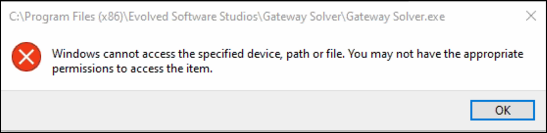
It's not a Gateway Solver error but it might affect you from time to time.
First, read this: see this Microsoft Support article
Open Windows Explorer (shortcut: Windows Key + E) and navigate to your Gateway Solver's installation directory. By default this is c:\Program Files (x86)\Evolved Software Studios\Gateway Solver.
Right-click the 'Gateway Solver.exe' file and select 'Properties'.
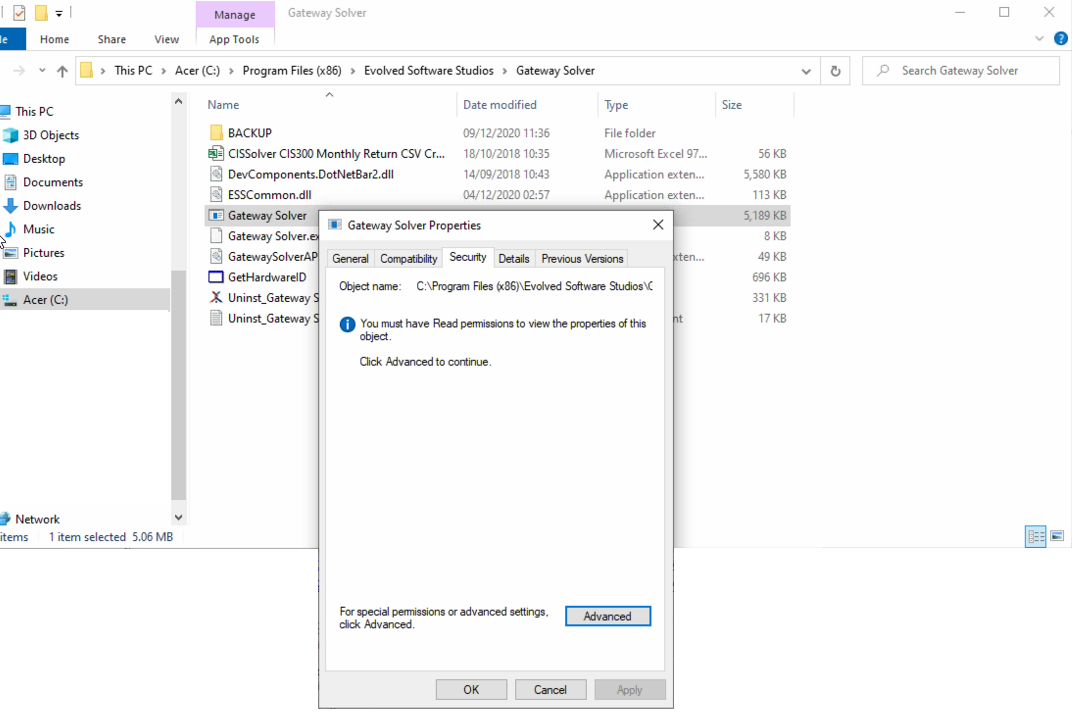
Hint: If the Gateway Solver program icon is not showing its logo, this may be a sign that the file cannot be accessed by the currently logged in user.
If the current user does not have access to the Gateway Solver.exe program file, it is likely that all files within the installed directory will not either.
Check the permissions for the installed folder (e.g. "c:\Program Files (x86)\Evolved Software Studios\Gateway Solver").
Ensure that you add the current user - and any other user accounts - of the local machine and provide at a minimum 'Read' access. We recommend 'Full Modify' (i.e. Read, Write, Create and Delete) to the folder to ensure compatibility with future releases).
Comments
0 comments
Please sign in to leave a comment.